

Everyone agrees automation is a good idea, but the challenge is choosing the right tool.
On paper, automation promises faster processes, fewer errors, and happier employees. In practice, choosing the wrong automation platform can quietly create more friction than it removes. When workflows stall and costs creep up, all of a sudden, the thing meant to make life easier becomes another system people start to work around.
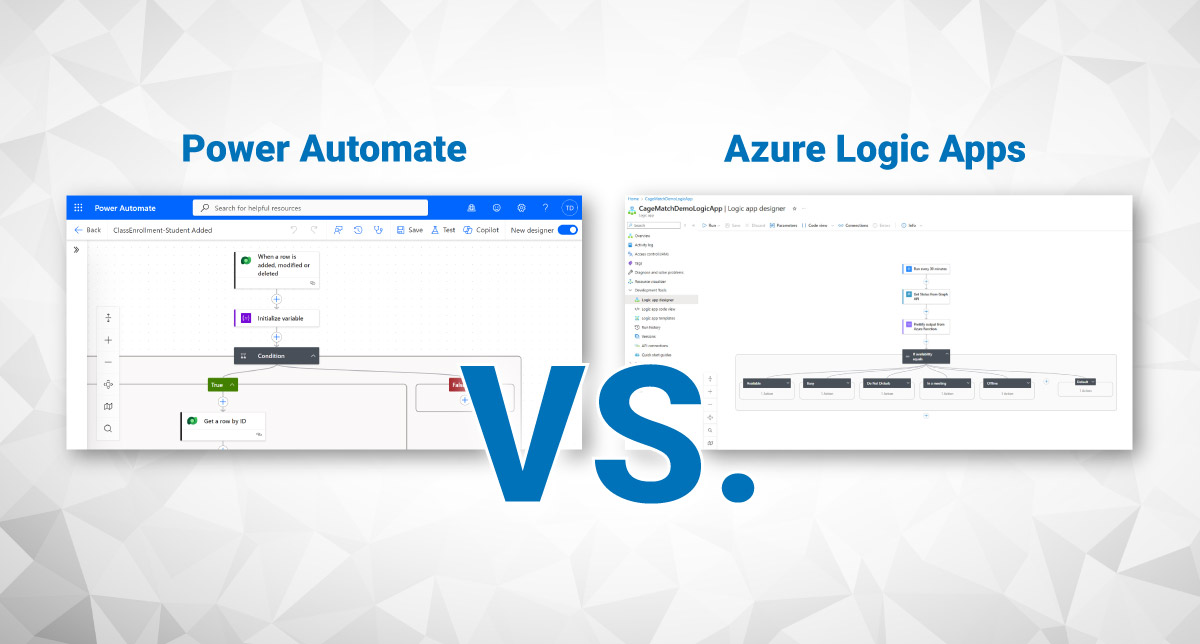
That’s exactly why the conversation around Power Automate vs. Azure Logic Apps matters. Not because one is better than the other, but because they’re built for very different problems, users, and scales.
This guide breaks it down clearly, without vendor fog or technical theater, so you can choose with confidence.
Arctic IT is a Microsoft Solutions Partner with certified professionals across Power Platform and Azure. The real-world examples below come from our team’s direct implementation experience.
Why automation matters beyond just saving time
At its core, automation takes work that humans shouldn’t have to repeat and hands it off to technology. That alone delivers real value, and the benefits go even further:
- Automation improves consistency and accuracy, removing human error from repetitive tasks.
- It enables scalability, allowing organizations to grow output without growing headcount.
- It gives teams agility, letting them pivot processes quickly without retraining entire departments.
- And perhaps most importantly, it frees up employees from tedious work so they can focus on judgment, creativity, and problem-solving.
But those benefits only show up when the automation fits the work. That’s where Power Automate and Azure Logic Apps diverge. While they look similar on the surface, they’re designed for very different audiences.
Power Automate: Automation for business users
Power Automate lives inside the Microsoft Power Platform, alongside Power Apps, Power BI, Power Pages, and Dataverse. It’s designed for business users, analysts, and citizen developers (e.g. the people who understand processes deeply but may not write code for a living).
Power Automate uses a visual, low-code designer. Workflows (called flows) are built around triggers and actions: when something happens, do something else. It integrates tightly with Microsoft 365, Dynamics 365, Teams, Outlook, SharePoint, and hundreds of other systems through prebuilt connectors.
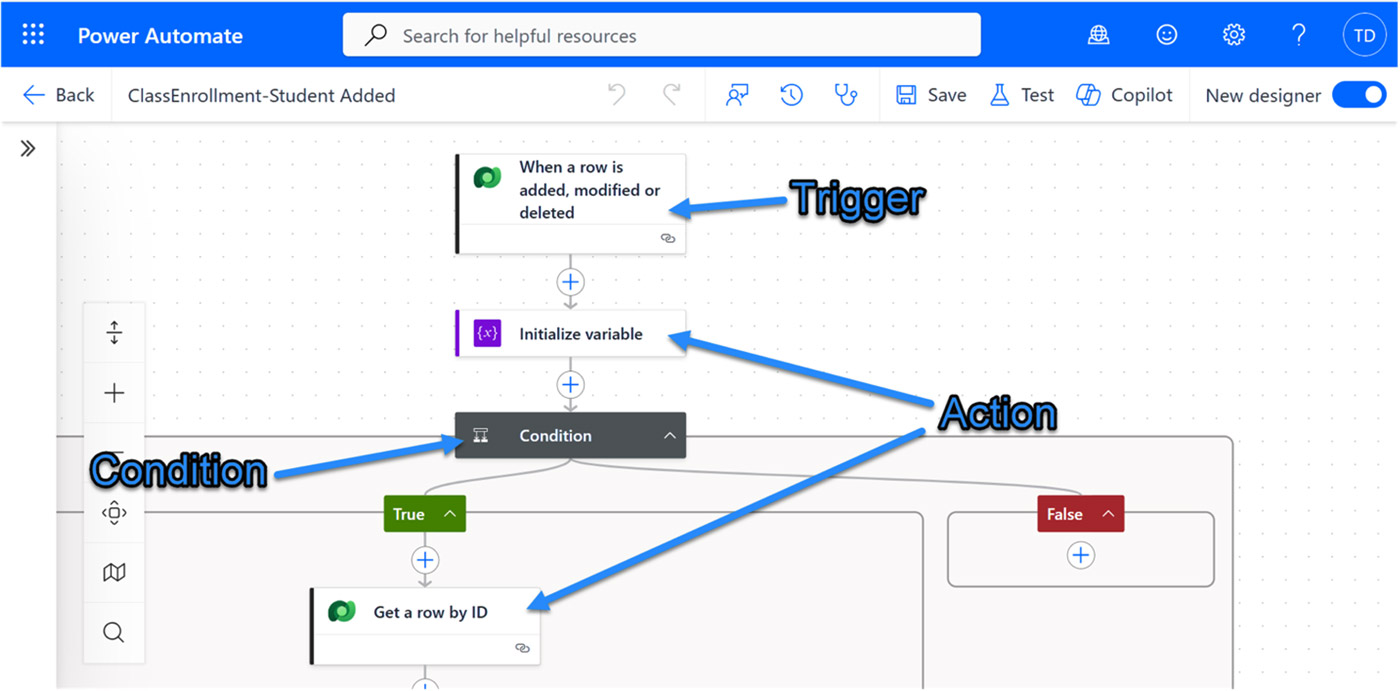
Sample Power Automate Flow (Workflow)
It also supports:
- Automated cloud flows (event-based)
- Instant flows (on-demand)
- Scheduled flows
- Desktop flows for robotic process automation (RPA)
Power Automate shines when humans are part of the process, such as making decisions, approving requests, or responding to events. It works well with online and on-premises environments. Think:
- Approval processes
- Notifications and alerts
- Low-volume data synchronization
- Form processing
- Desktop automation for legacy apps
- Workflow logic embedded in Power Apps or Dynamics 365
Because it’s part of the Power Platform, Power Automate flows can be packaged into solutions, moved between environments, and managed alongside apps and data models. For organizations already using Microsoft business applications, this matters more than it sounds.
Plus, Power Automate “lite” often comes bundled with existing Microsoft licenses, so teams can start automating without waiting for new budget approvals.
When to Use Power Automate: Real-World Example
In a custom education application built for a tribal government, Power Automate is used to manage classroom capacity.
Every time a student is enrolled or removed, a flow:
- Counts the total number of students
- Updates capacity fields
- Triggers warnings when thresholds are reached
- Notifies users when a class is full or over capacity
This logic runs server-side, across multiple tables, and works regardless of how the record is updated. It’s not flashy, but it’s exactly what Power Automate does best: tying business rules to real-world actions without requiring custom code.
Azure Logic Apps: Automation for developers and IT teams
Azure Logic Apps lives in Azure, not the Power Platform. It’s designed for IT professionals and developers who build integrations, data pipelines, and backend workflows. Azure Logic Apps step in when automation needs to run fast, often, and at scale with near real-time system synchronization.
Like Power Automate, Logic Apps uses triggers and actions. The difference is scale, control, and depth. Logic Apps are designed to handle:
- High-volume data processing and large batch operations
- Complex system-to-system integrations
- Parallel execution and advanced error handling
- Deep integration with Azure services: Functions, Service Bus, API Management, and Graph API
- Scenarios requiring enterprise-grade CI/CD, ARM/Bicep deployment, and DevOps pipelines
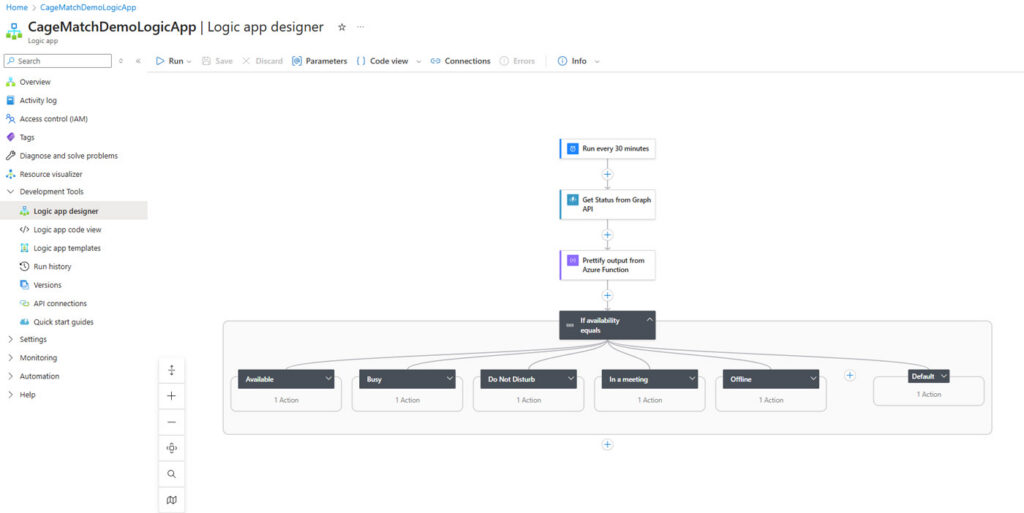
Logic App Designer Preview
Logic Apps also support multiple pricing models (pay-as-you-go or reserved capacity) and don’t limit you by user licenses or daily action counts. If you need to process millions of records, you can. You’ll pay for what you use, but you won’t be artificially capped. Logic Apps can be developed locally using Visual Studio Code before ever touching the cloud. It is available online and on-premises, and works seamlessly with other Azure Services.
They also offer more robust diagnostics, clearer error messages, and stronger alignment with enterprise security models. For regulated environments or complex architectures, that control is often non-negotiable.
If Power Automate feels like a workflow assistant, Logic Apps feels like infrastructure.
When to Use Azure Logic Apps: Real-World Example
In another scenario, Azure Logic Apps power a lightweight but elegant automation that controls a smart light installed outside a remote worker’s office. The light changes colors based on the worker’s Microsoft Teams status (e.g. red for “In a Call”), so other residents are aware of when not to disturb.
Every 30 minutes, a Logic App:
- Calls an Azure Function
- Queries Microsoft Graph API for Teams status
- Parses the response
- Changes the color of a smart light outside a home office to either green or red based on the Teams status
Green means available. Red means busy – do not enter.
This automation has been running for over two years and costs about $1 per month. It’s small, but it demonstrates the strength of Logic Apps: low-cost, high-reliability automation that integrates deeply with Azure services and external APIs.
Power Automate vs. Azure Logic Apps: Licensing and Cost
Licensing often makes the decision before architecture does.
Power Automate offers:
- Per-user plans
- Per-process plans
- Seeded functionality in some Microsoft licenses
(Standard connectors are often included; premium and custom connectors require additional licensing. Learn more in the Power Platform licensing guide.)
Logic Apps offer:
- Consumption-based pricing (pay per run and action)
- Standard plans with reserved compute capacity
For Logic Apps, Microsoft’s Azure Pricing Calculator is essential. It lets you model real costs before deploying anything – no guesswork required.
Decision Matrix: Power Automate vs. Azure Logic Apps
Use this side-by-side comparison to evaluate which tool fits your current need:
| Capability | Power Automate | Azure Logic Apps |
|---|---|---|
| Primary Audience | Business users; low-code makers | Developers and IT engineers |
| Ideal Use Cases | User-centered workflows, M365/D365 automation | Enterprise integrations, API orchestration |
| Best Fit | Approvals, notifications, app-triggered flows | High-volume, long-running, mission-critical processes |
| Hosting / Runtime | Power Platform-managed service | Azure-native, region + network control |
| Scaling | Moderate scale; licensing-based limits | Enterprise scale; autoscaling built-in |
| Connectors | Broad M365 and business connectors | Same library + deeper Azure service integration |
| Cost Model | Per-user or per-flow | Pay-per-action |
| Application Lifecycle Management | Solutions-based; improving | Enterprise-grade continuous integration and continuous delivery (CI/CD) via Azure Resource Manager (ARM)/Bicep, DevOps |
| Security & Governance | Power Platform Admin Center includes data loss prevention (DLP) policies, environment roles and governance, and auditing | Microsoft Entra ID authentication, Managed Identities for secure credential-free access, role-based access control (RBAC), and private endpoints |
| Custom Code | Limited; relies on Azure Functions | Natively extensible with Functions & APIs |
| Monitoring | Basic admin center monitoring | Azure Monitor, Log Analytics, App Insights |
| Execution Reliability | Strong for user workflows | High-SLA, durable workloads |
| Integration Depth | Excellent with M365 and Power Platform | Best for cross-system, enterprise patterns |
Power Automate vs. Azure Logic Apps Decision Matrix
How to choose: Start where you are
If there is one takeaway from this comparison, it is this: start where you are.
- Already using Power Platform or Dynamics 365? Start with Power Automate. It’s faster to adopt, easier to govern, and often already licensed.
- Building backend integrations, processing high volumes, or working with Azure services? Azure Logic Apps is the right fit.
- Doing both? Many organizations use Power Automate for user-facing workflows and Logic Apps for the heavy lifting behind the scenes. The tools complement each other.
The goal is not to pick the “best” tool, it’s to pick the right tool for the job you’re actually trying to do. If you’re not sure which that is, that’s a good conversation to have with someone who has built both.
If you’re ready to get started with automation for your organization but need some support getting your ideas off the ground, Arctic IT can help. We have Microsoft certified professionals on staff who can help you build the automation you need to fit your desired outcomes. Connect with us today to learn more.

By Blake Miller, Pre-Sales Solution Architect at Arctic IT, supported by contributions from Skyler Fitzwater, Senior Application Developer at Arctic IT