

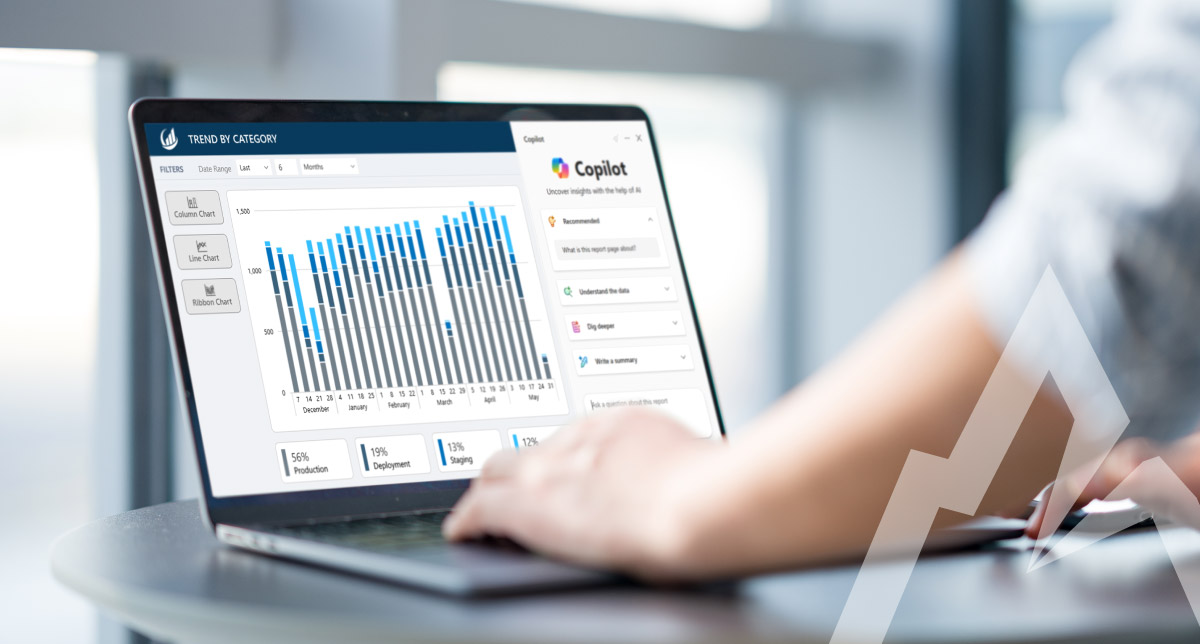
Business intelligence has always been about turning data into insight. Sales systems, cloud platforms, financial tools, customer interactions, and operational systems all produce business-critical data used by leaders make more informed, faster decisions. The challenge lies in understanding what the data is actually telling you.
Platforms like Microsoft Power BI have made it much easier for teams to visualize data, build dashboards, and monitor performance across the business. Though, as datasets grow larger and more complex, traditional reporting alone is often not enough.
This is where artificial intelligence is starting to play a bigger role. Microsoft has been steadily introducing AI capabilities into Power BI that help users explore data in new ways, uncover patterns more easily, and gain insights that would be difficult to discover through traditional reporting alone.
For organizations investing in Microsoft Cloud Solutions, the combination of Power BI and AI-powered analytics can significantly improve how teams analyze data and make decisions.
The evolving role of business intelligence
Traditional business intelligence focused primarily on reporting. Analysts would collect data from different systems, create reports, and present historical performance metrics. These reports were useful, but they often required lots of manual effort and provided limited context.
Modern business intelligence platforms go much further.
Today’s BI tools allow organizations to combine data from multiple sources, analyze information in real time, and create interactive dashboards that provide deeper insight into business performance. Leaders can explore trends, compare metrics, and identify opportunities without relying on static reports.
AI adds another layer of value to this process. Instead of simply presenting data, AI can analyze patterns, detect anomalies, and generate insights that help organizations understand what is happening and why.
With Microsoft Power BI, many of these AI capabilities are built directly into the platform.
What makes Microsoft Power BI a powerful BI platform
Power BI is part of the Microsoft data and analytics ecosystem. It allows organizations to connect data from a wide range of sources, transform and model that data, and create visualizations that help users understand key metrics.
Some of the capabilities that make Power BI widely used for business intelligence include:
- Interactive dashboards and reports
- Integration with Microsoft 365, Azure, and other Microsoft tools
- Data modeling and transformation features
- Real time data visualization
- Secure data sharing across teams
- Integration with cloud data platforms
Power BI can connect to data from databases, cloud services, spreadsheets, and enterprise applications. This allows organizations to centralize their analytics and build a unified view of their business data.
When AI capabilities are added to this foundation, organizations can move beyond simple reporting and toward more advanced data analysis.
How AI enhances business intelligence in Power BI
AI in Power BI helps users analyze data faster and uncover insights that may not be immediately visible in traditional dashboards.
Several AI-driven capabilities within Power BI allow organizations to gain deeper insights into their data.
Copilot for faster, more intuitive insights
One of the most significant AI advancements in Power BI is the integration of Microsoft Copilot. Rather than requiring users to build reports or construct queries manually, Copilot allows business users to interact with their data through a conversational, chat-based interface.
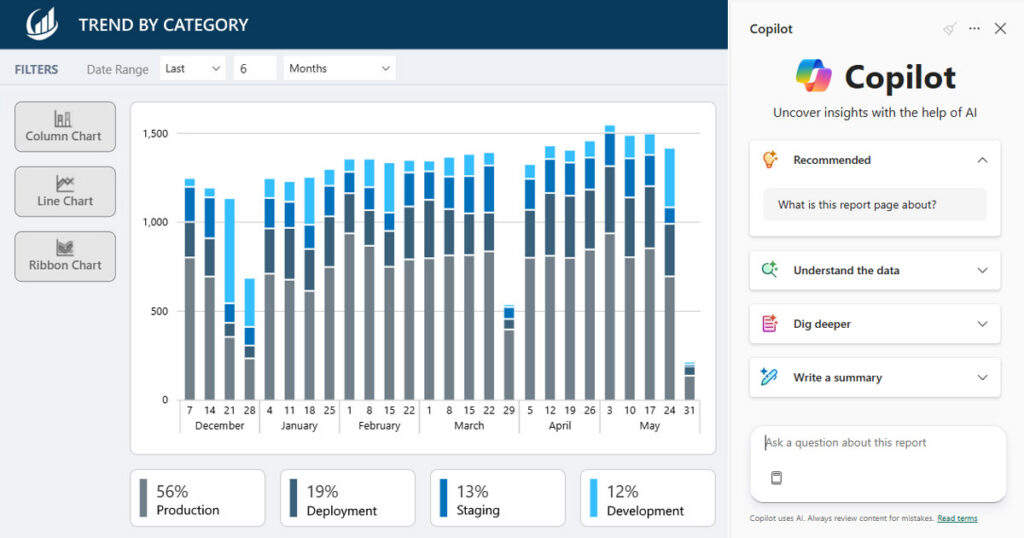
Copilot for Power BI Preview
Users can ask questions in plain language and receive generated visualizations, summaries, and narrative explanations in response, such as:
- “What were total sales last quarter”
- “Which regions generated the most revenue this year”
- “Show customer growth over the past six months”
Copilot can also generate entire report pages based on a prompt, explain what a report is showing, and surface answers to common business questions on demand.
In late 2025, Microsoft enabled a standalone Copilot experience in Power BI by default for organizations where Copilot has been turned on. This full-screen experience allows users to query any report, semantic model, or Fabric data agent they have access to without needing to navigate into a specific report first.
Copilot also introduces Verified Answers, which match user prompts against human-curated questions and reliable datasets to improve the accuracy and trustworthiness of AI-generated responses. This addresses one of the common concerns organizations have when adopting AI tools: confidence that the answers reflect the actual data.
For business users, this means faster access to insight without relying on an analyst to build a new report for every question. For data teams, it means less time fielding ad hoc requests and more time focused on higher-value work.
Automated insights and pattern detection
AI in Power BI can also analyze datasets to identify trends, patterns, and anomalies.
For example, Power BI can highlight unexpected changes in key metrics such as revenue, inventory levels, or customer activity. These automated insights help organizations detect potential issues earlier and investigate the causes behind changes in performance.
Instead of manually reviewing large datasets, analysts can focus on the insights that the platform surfaces automatically.
AI-powered forecasting
Forecasting is another area where artificial intelligence improves business intelligence.
Power BI includes built-in forecasting capabilities that use historical data to project future trends. Organizations can apply these forecasts to metrics such as sales performance, demand planning, or operational capacity.
Forecasting allows decision makers to evaluate potential outcomes and plan more effectively. It also helps organizations respond to changing conditions more quickly.
Advanced analytics with machine learning models
For organizations that require deeper analytics, Power BI integrates with Azure machine learning services.
This allows data scientists and analysts to incorporate machine learning models directly into Power BI dashboards. These models can perform tasks such as predictive analysis, classification, or risk scoring.
For example, a machine learning model might predict customer churn, detect fraud patterns, or estimate product demand. The results of these models can then be visualized in Power BI so business leaders can act on the insights.
By combining AI models with business intelligence dashboards, organizations can connect advanced analytics with everyday decision making.
Improving decision making across the organization
When organizations adopt AI-powered business intelligence tools, they often see improvements in how decisions are made across teams. Executives gain clearer visibility into company performance. Operations teams can monitor key metrics in real time. Financial leaders can identify trends that affect profitability.
Because Power BI dashboards can be shared across departments, teams can work from the same data and collaborate more effectively. Artificial intelligence helps accelerate this process by surfacing insights faster and reducing the manual effort required to analyze data.
Instead of spending hours reviewing spreadsheets or building reports, teams can focus on interpreting insights and making strategic decisions.
Power BI within the Microsoft data ecosystem
Another advantage of Power BI is how it integrates with the broader Microsoft data platform.
Organizations that use Microsoft Azure, Microsoft Fabric, or other Microsoft cloud services can connect their data platforms directly to Power BI. This creates a unified analytics environment where data pipelines, storage, and visualization tools work together.
For example:
- Data can be stored in Azure data services or data lakes
- Transformation pipelines can prepare the data for analysis
- Power BI dashboards visualize insights from the data
This integration allows organizations to scale their analytics capabilities as data volumes grow.
When AI capabilities are added through Azure services or built in Power BI features, organizations can analyze even larger datasets while gaining deeper insight.
At Arctic IT, part of Doyon Technology Group, we have been strategically transitioning our internal reporting and analytics platform to Microsoft Fabric and Power BI, creating a unified data foundation that brings together information from across our line-of-business systems. By consolidating data from multiple sources into a modern, integrated analytics environment, we’ve improved visibility into key business metrics and enabled more consistent and timely reporting. This modernization effort provides our leadership and operational teams with deeper insights into business performance while simplifying our overall data and analytics footprint. Power BI allows us to make faster, more informed decisions as we continue to grow.
Real world use cases for AI powered Power BI
Organizations across many industries are using AI-enhanced business intelligence to improve operations:
- Retail companies use Power BI to analyze customer behavior and sales trends. AI insights help teams easily identify which products are performing well and where demand may increase.
- Financial organizations use Power BI dashboards to monitor financial performance and detect anomalies in transaction data.
- Healthcare organizations analyze operational metrics and patient data to improve efficiency and identify opportunities for better outcomes.
- Manufacturing companies track production metrics, supply chain activity, and equipment performance to optimize operations.
In each of these scenarios, AI capabilities help teams move beyond simple reporting and toward deeper data-driven insights.
At Arctic IT, we use Power BI to visualize reporting for our employee wellness program. As points are tracked by team members in Power Apps, they flow into the BI dashboard, making it easy for the HR department to determine who has reached their wellness points goal for the month. Employees who achieve 100 points or greater in a month receive a bonus incentive added to their paycheck.

Arctic IT Wellness Program Report in Power BI
Preparing your organization for AI-driven analytics
Adopting AI powered business intelligence tools requires more than deploying new software. Organizations should also consider how their data strategy supports analytics and decision making.
Three key steps include:
1. Establish a strong data foundation
Accurate and consistent data is critical for reliable analytics. Companies should ensure that their data sources are well-governed and properly integrated.
2. Align analytics with business goals
Business intelligence should support the metrics and outcomes that matter most to the organization. Identifying the right key performance indicators helps teams focus on insights that drive real impact.
3. Encourage data-driven decision making
Power BI dashboards are most effective when they are used regularly by leaders and teams. Encouraging a culture of data driven decision making helps organizations take full advantage of their analytics platforms.
Getting started with AI in Power BI
Artificial intelligence is changing how organizations analyze and use their data. Tools like Microsoft Power BI allow organizations to combine interactive dashboards with AI-driven insights that support faster and more informed decision making.
For organizations investing in Microsoft Cloud solutions, integrating Power BI with AI capabilities can unlock new opportunities to understand business performance, identify trends, and make strategic decisions based on data.
If your organization is exploring AI and how to strengthen your data and analytics strategy with Microsoft technologies, the team at Arctic IT can help you evaluate how tools like Power BI fit within your broader cloud and data platform. Our AI readiness assessment will help you identify a structured roadmap that protects your data, strengthens security, and reduces manual work. Connect with us today to request more information.

By Matt DeCap, Director Azure Solutions at Arctic IT