
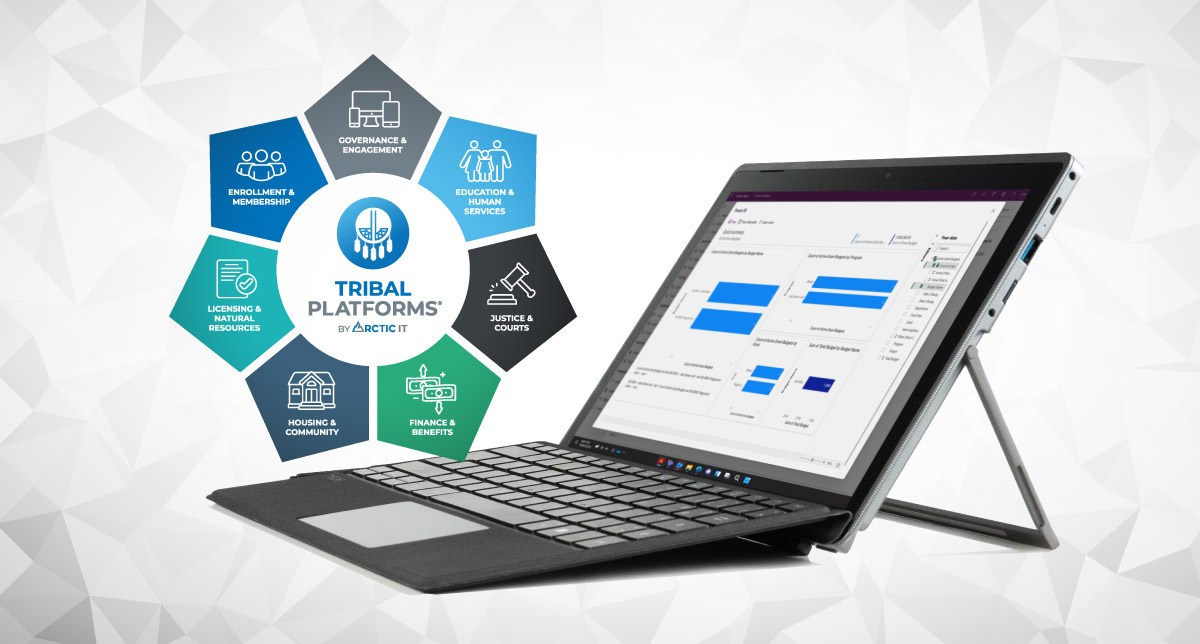
When Arctic IT designs software applications for Tribal Nations, we are always looking for ways to make government workflows better, so Nations can improve service and program delivery to their people.
For tribal government staff, that means fewer duplicate records. Cleaner addresses. Faster reporting. Less time spent re-keying the same information, and more time spent actually helping people.
That’s what the latest Tribal Platforms updates are about – practical improvements that protect data integrity and reduce staff workload. Plus, we’re delivering three new solutions that tribes have been asking for.
Membership Mapping with Azure Maps: Accurate Addresses, Stronger Reporting
Let’s start with something that sounds simple but affects almost everything: addresses.
In real life, addresses are messy. Even common place names get entered ten different ways (e.g., “Ft.” vs “Fort” vs “FT”). And when address formatting isn’t consistent, you end up with reporting that doesn’t match reality because the data can’t be grouped cleanly.
With new Membership Mapping functionality, Tribal Platforms can now support address entry the way people expect it to work. Using Azure Maps or Bing Maps integration, the system suggests the right format as the user types their address. That means:
- Consistent address formatting
- Less manual typing
- Fewer errors for staff to clean up later
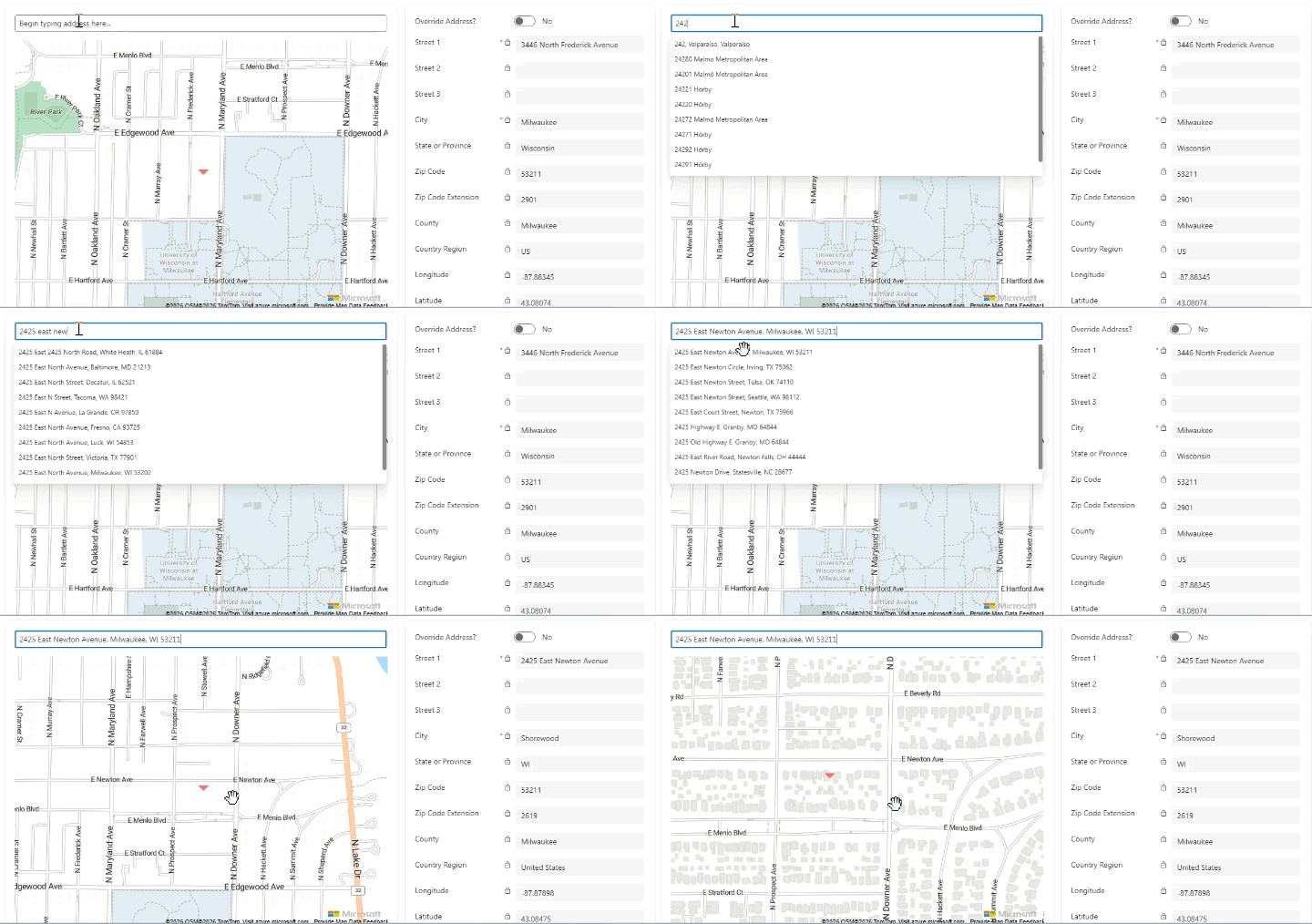
Azure Maps: Typing Address Demo
Latitude and longitude changes what’s possible
With Azure Maps, the ability to use latitude and longitude GPS coordinates opens the door to stronger location-based reporting and outreach. The coordinates are automatically determined and added to the address record when a street address or a pin is entered into the system. This is especially useful during emergencies. If a natural disaster impacts a specific area, teams can use location data to identify members who live within a defined region, so outreach and assistance can move faster and potentially save lives.
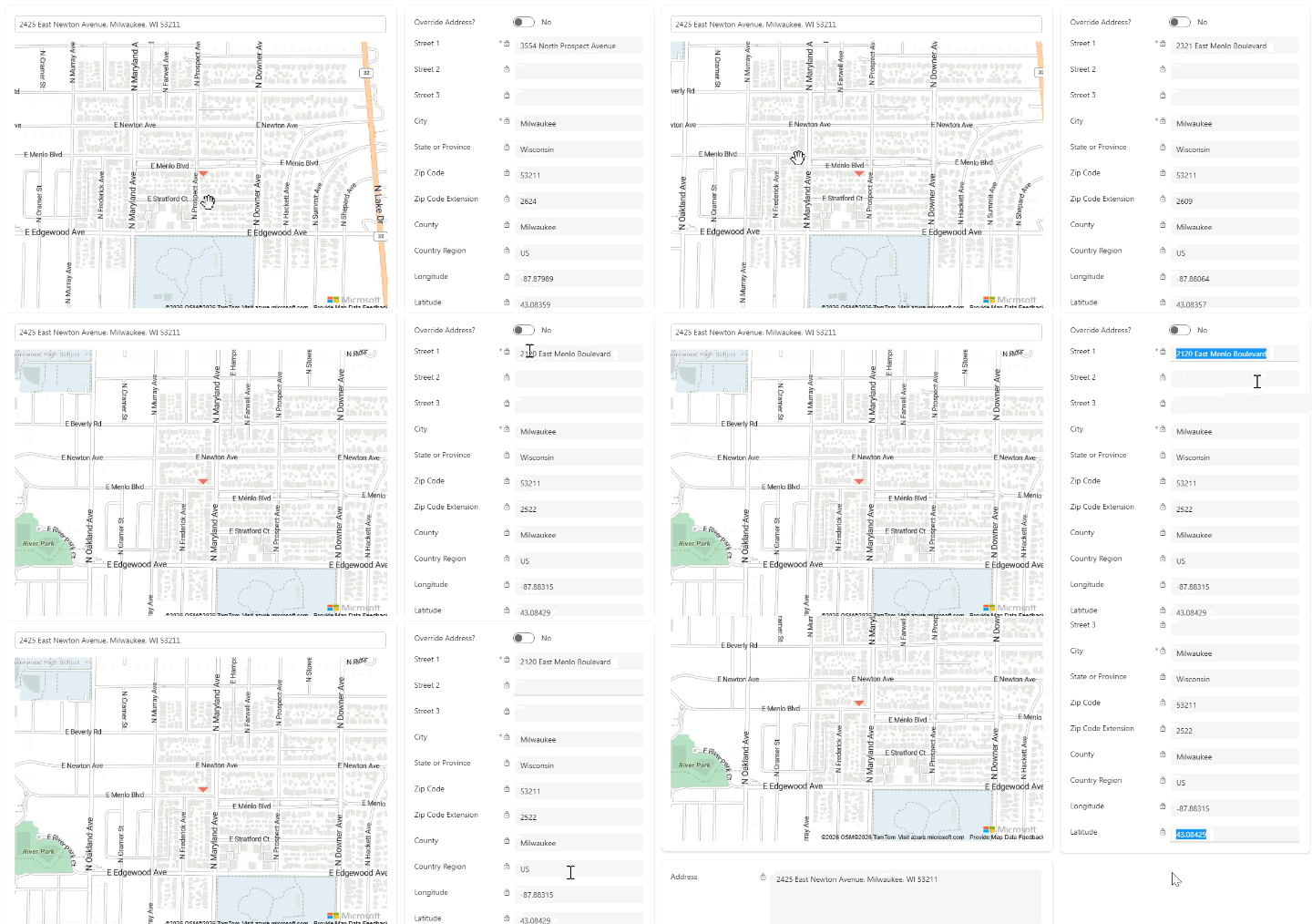
Azure Maps: Dropping Pin for Coordinates Demo
When there is no street address, you can still pin “home”
Another reality is that for some Tribal Nations, not every member or citizen has a standard street address. In large rural regions, an “address” can look more like directions than a mailing label.
Membership Mapping supports the ability to pin a location on a map to represent a residence, even if a formal street address doesn’t exist. Staff can still include helpful directions, but the system also captures a precise coordinate for the record.
From a reporting standpoint, that’s huge. Once you can work with reliable location data, you can build better heat maps, improve member distribution reporting, and reduce “unknown” location gaps that weaken program insights.
A Streamlined Portal Sign-Up Process: Fewer Duplicates, Better Member Experience
An online community engagement portal is supposed to help reduce staff workload and better engage members remotely. However, if tribal member sign-ups create duplicate records, it can do the opposite.
When portal users forget their passwords or change the email they used for logins, often times they will sign up for a new account entirely. This action generates duplicate contacts behind the scenes and creates a never-ending contact cleanup effort for administrative staff.
What’s changing
The improved portal sign-up process adds a smarter “front door” before portal access is granted.
Instead of allowing every sign-up to automatically create a new contact record, the workflow can require key identity fields (for example: enrollment number, date of birth, first/last name, email) and then runs logic to determine whether the person already exists in the system.
From there:
- If it’s a match, the member receives an invitation tied to their existing record
- If something doesn’t line up (like an old email), staff can resolve it without creating a whole new identity trail
- Duplicate contact creation drops dramatically
This upgrade is more than just cleaner data (though that’s always a win). It’s also:
- A better experience for tribal members
- Less time spent by staff processing and de-duplicating records
- More confidence that the portal is pulling from the right ‘source of truth’
And when portal sign-up is reliable, it becomes easier to expand portal offerings, because teams trust the underlying identity and member record connection.
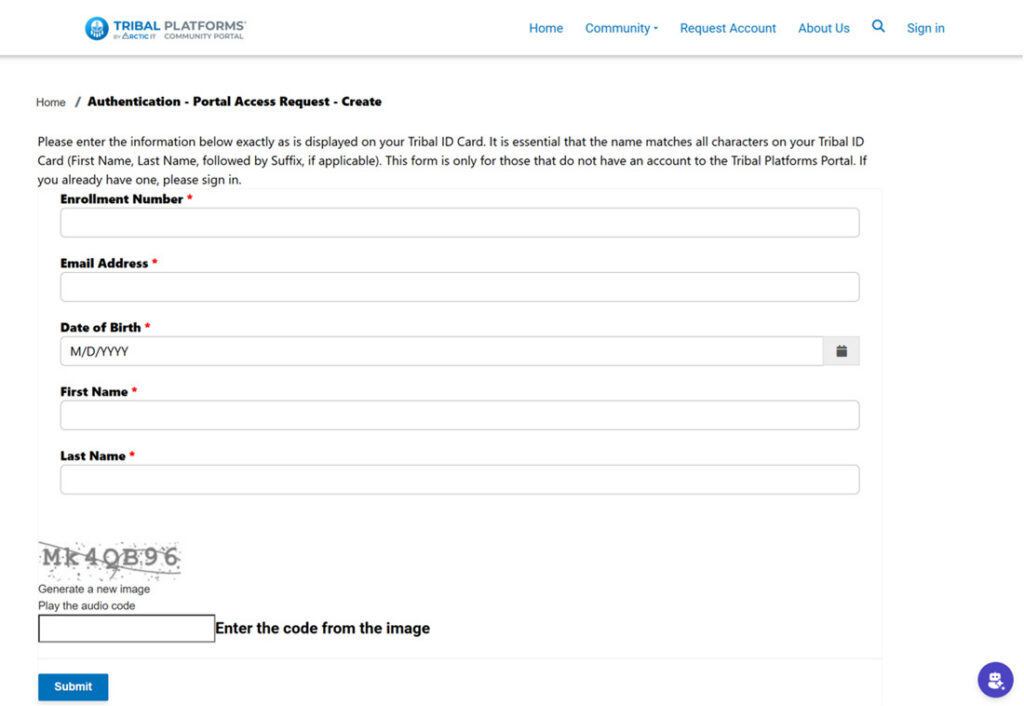
Sample Portal Sign-Up Form
Simplified Program Reporting by Department (Without Losing the Full Picture)
Many tribal governments use more than one Tribal Platforms solution (e.g., Enrollment, Housing, Education, Family Wellness, and more). That’s a strength. But as the solutions utilized grow in number, staff in one department shouldn’t have to sort through everyone else’s program lists, fields, and reports just to do their job.
We’ve made improvements to the multi-app experience, so it’s easier for each department to focus on what they need, while still preserving comprehensive views and reports that leadership depends on.
What this looks like in practice:
- Housing staff can filter views and reporting to Housing programs only
- Education teams can view K–12 data separate from Higher Ed data
- Administrators can access cross-program, 360-degree views when they need it
Ultimately, this approach allows program teams to get a cleaner workspace, and leadership still has unified reporting across the organization.

Sample Multi-Department Programs Dashboard
New Solutions Tribes Can Deploy Now
Alongside platform upgrades, Tribal Platforms has also expanded what’s available in our suite of tribal government software solutions – built from real tribal requests and real operational gaps.
Here’s a quick overview of three of the newest offerings.
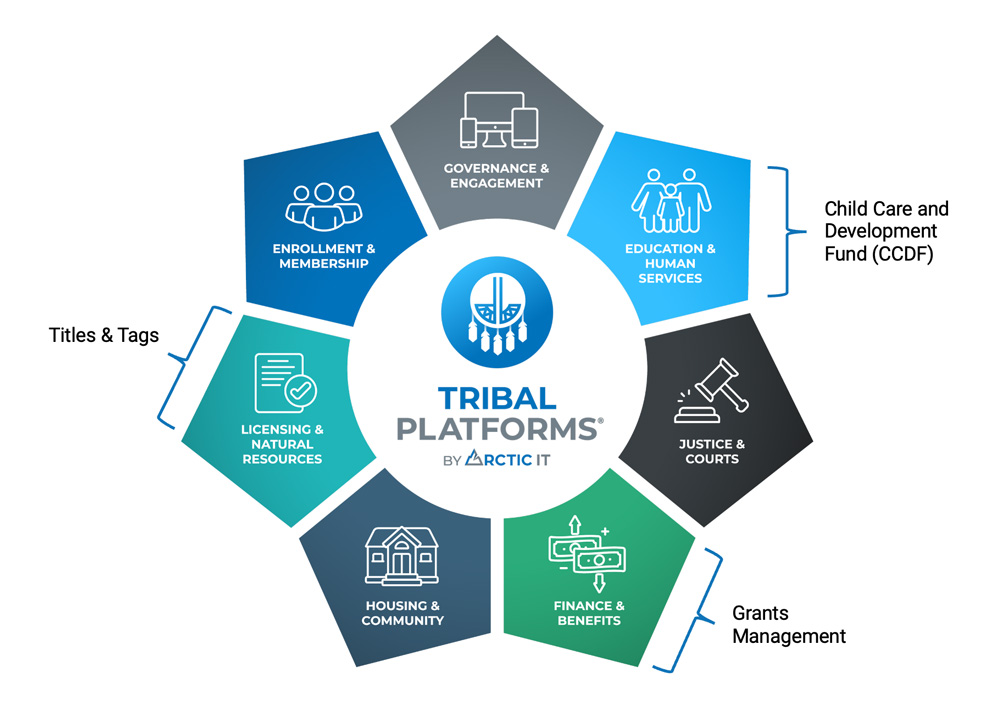
1) Child Care and Development Fund (CCDF): Track support and generate PL 477 reporting
The Tribal Platforms Child Care and Development Fund (CCDF) solution supports Tribal Nations that are administering childcare assistance so parents can focus on work, skills training, or continuing education.
One key driver behind this solution is that the Office of Child Care (OCC) previously provided a Microsoft Access database called the Child Care Data Tracker to help Tribal Lead Agencies track CCDF requests, but as of September 2024, that database is no longer supported by the OCC. This has created a clear need for streamlined, templated reporting outputs from modern program management systems like Tribal Platforms.
The Tribal Platforms CCDF solution helps with:
- Tracking childcare provider billing details (dates, hours, “who received care when”)
- Tracking funding used for childcare support and associated administrative handling
- Generating PL 477 reports in a consistent format aligned with what the BIA expects
- Exporting to Excel so tribes can add numbers from other programs outside Tribal Platforms (like employment outcomes)
While the solution was designed specifically for CCDF teams, it also supports collaboration with ICWA teams when constituents qualify.
2) Grants Management: A central grants hub without the ERP price tag
Most tribes rely on grant funding across many departments, but grants teams often aren’t accountants and an expensive finance system’s grants module isn’t always the right fit.
That’s where the new Tribal Platforms Grants Management solution comes in. It’s a dedicated system that gives tribal grants teams a central place to track grants, budgets, and reporting requirements, with visibility that supports both program teams and leadership.
What the Grants Management solution delivers operationally:
- Centralized grant tracking (status, deadlines, renewals, documentation)
- More granular budgeting, including indirect costs like staffing, technology, and admin expenses
- The ability to integrate program activity (e.g., Tribal Platforms Family Wellness program data) so staff can see what funds remain in specific programs
- Reporting that proves transactions and supports point-in-time reporting needs
Advanced filtering and configurable report generation are also included. Even if every grant report isn’t identical, staff can pull what they need quickly and filter/sort for clean submissions without starting from scratch every time.
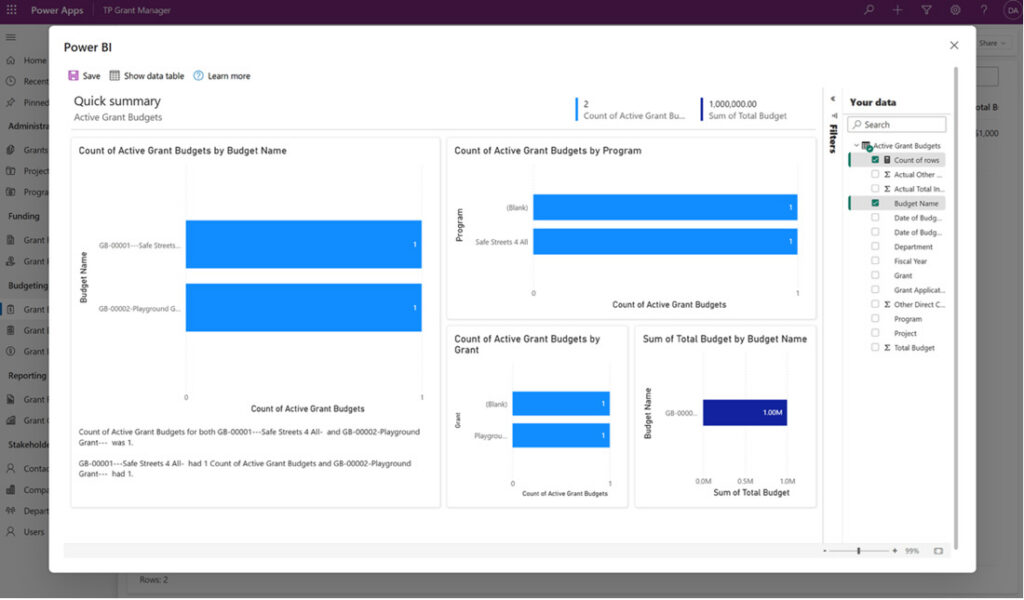
Sample Grants Management Power BI Report
3) Titles & Tags: A Tribal DMV system built for sovereignty and real workflows
The new Tribal Platforms Titles & Tags solution is designed for Tribal Nations that manage vehicle registrations and titles by issuing tribal-specific documentation instead of relying on a state process.
Key features of the Tribal Platforms Titles & Tags solution include:
- Vehicle information tracking: make, model, year, and other key details
- Fee calculation logic that matches the tribe’s unique rules
- Payment tracking for recording payments and producing reports for accounting
- Ability to print tribe-specific certificates onto official paper, plus support renewals and replacements
- Fleet/commercial vehicle licensing support when needed
Tags & Titles also integrates well with Enrollment. That means less re-keying member information, fewer discrepancies between systems, and more time for staff to focus on serving tribal members.
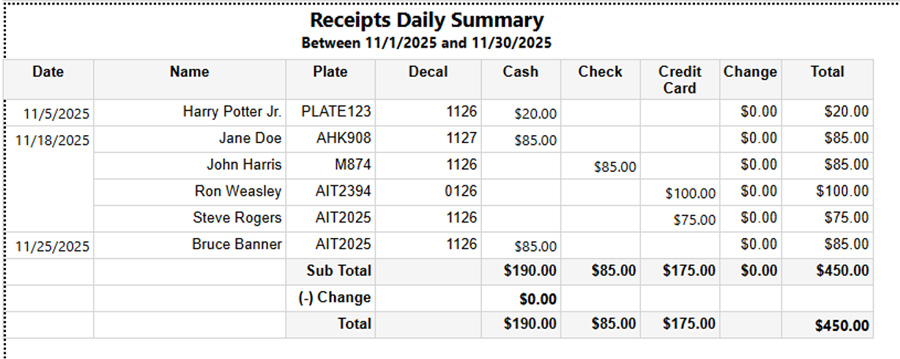
Sample Receipts Daily Summary
What “product evolution” should be like
What’s new with Tribal Platforms isn’t just flashy releases. We’re focused on removing friction where tribes feel it most:
- Cleaner address data and reliable location capture
- Portal sign-ups that don’t create a contact duplication mess
- Reporting that fits real departments without losing the 360-degree reporting view
- New solutions built from real world operational needs
If you want to explore any of these updates or talk through what a phased rollout could look like for your tribe, reach out to Arctic IT today. We look forward to discussing how we can work together to improve government operations and service delivery to your Tribal Nation.

By Sarah Jelinek, Director Power Platform and Tribal Solutions at Arctic IT